Search Settings are the core of GrabMyGig’s smart filtering system. Configure these settings to ensure the bot only accepts offers that meet your specific requirements.
All search settings work together. An offer must match ALL your criteria to be accepted.

Gig Type

Select which platform(s) you want the bot to monitor.
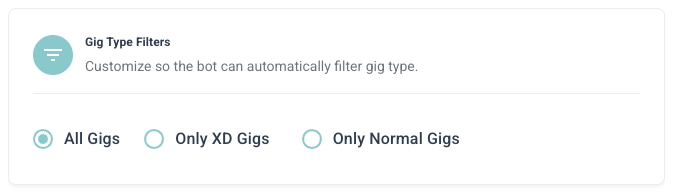
Gig Type Setting
OptionDescription
RoadieMonitor standard Roadie delivery offers
RoadieXDMonitor RoadieXD (extra delivery) offers
BothMonitor offers from both platforms
If you’re new, start with standard Roadie offers to get familiar with how the bot works.

Pay Settings

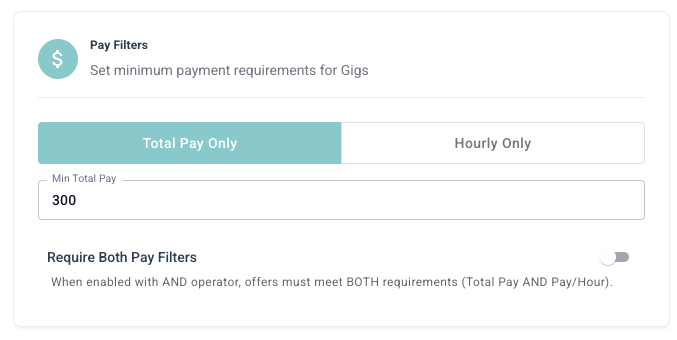
Configure minimum pay requirements to ensure you only accept profitable gigs.

Minimum Pay

Pay Setting
Set the minimum dollar amount you want to receive per gig. Offers below this amount will be automatically rejected. Example: If you set minimum pay to **25,thebotwillignoreanyofferpayinglessthan25**, the bot will ignore any offer paying less than 25.

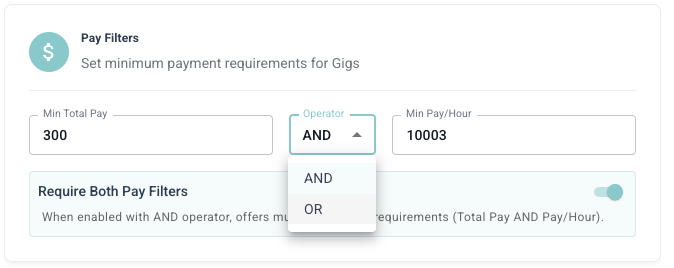
Pay Per Mile / Pay Per Hour

Pay Both Setting
For more advanced filtering, you can set:
FilterDescriptionRecommended
Min $/MileMinimum pay per mile driven1.501.50 - 2.00
Min $/HourMinimum pay per estimated hour2020 - 30
Setting these values too high may result in fewer accepted offers. Start conservative and adjust based on your market.

Distance and Time

Control how far you’re willing to drive and how long deliveries should take.
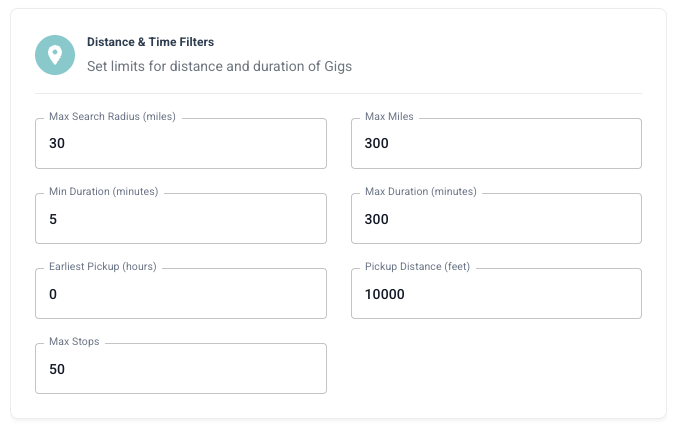
Distance and Time Setting

Distance Settings

SettingDescription
Max Pickup DistanceMaximum distance from your location to the pickup point
Max Total DistanceMaximum total distance for the entire delivery

Time Settings

SettingDescription
Min Delivery TimeMinimum time window for delivery
Max Delivery TimeMaximum time window for delivery
Consider your local traffic patterns when setting distance limits. A 10-mile drive in rush hour may take longer than a 15-mile drive at off-peak times.

Item Count

Filter offers based on the number of items in the delivery.
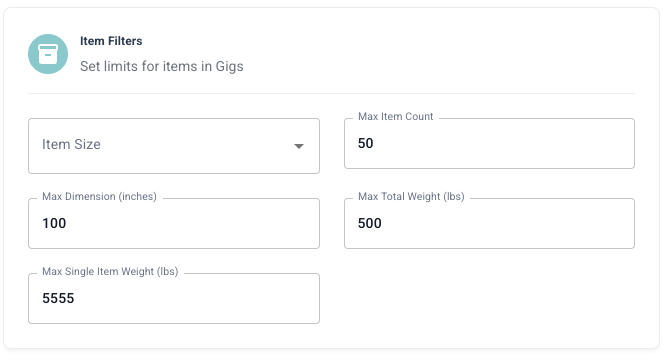
Item Setting
SettingDescription
Min ItemsMinimum number of items you’re willing to deliver
Max ItemsMaximum number of items you’re willing to deliver
Fewer items typically mean faster pickups and deliveries. However, multi-item orders often pay more.

Store Filters

Control which stores you want to pick up from.

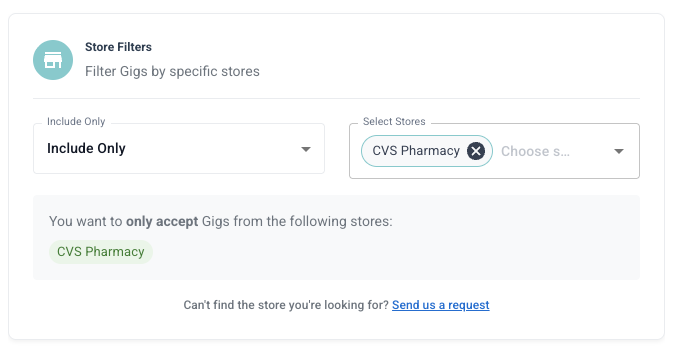
Include Stores

Store Include Setting
When you include stores, the bot will ONLY accept offers from these specific stores. Use case: You know certain stores have efficient pickup processes or consistently good-paying orders.

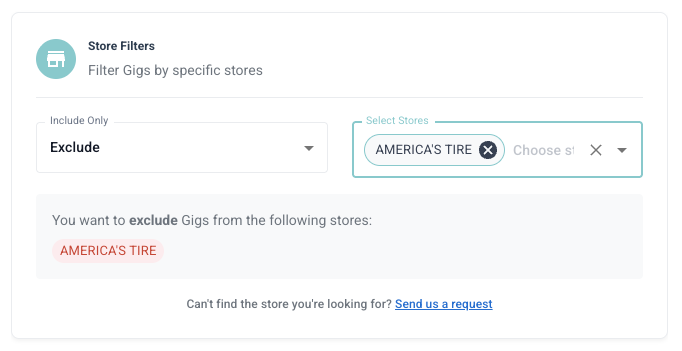
Exclude Stores

Store Exclude Setting
When you exclude stores, the bot will NEVER accept offers from these stores. Use case: Avoid stores with long wait times, difficult parking, or consistently low-paying orders.
You can use either Include OR Exclude mode, but not both at the same time.

Refresh Rate

Control how frequently the bot checks for new offers.
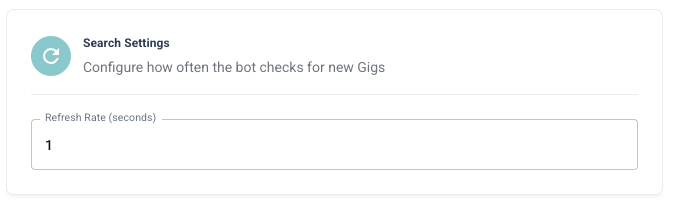
Refresh Rate Setting
SettingDescriptionBest For
FastChecks every few secondsPeak hours, competitive markets
NormalBalanced checking frequencyGeneral use
SlowLess frequent checksOff-peak hours, saving resources
Use faster refresh rates during peak hours (6-9 AM, 11 AM-1 PM, 5-8 PM) to catch high-demand offers quickly.

Stop Condition

Configure when the bot should automatically stop accepting offers.
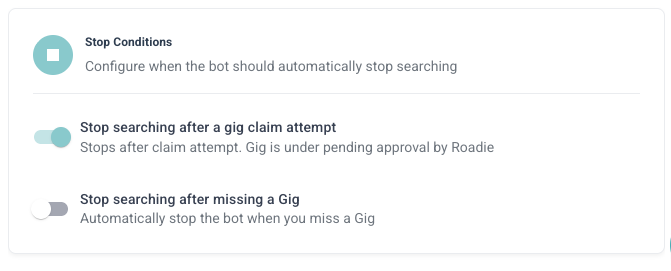
Stop Condition Setting

Available Stop Conditions

ConditionDescription
After X OffersStop after accepting a specific number of offers
After X EarningsStop after reaching a target earnings amount
At Specific TimeStop at a scheduled time
NeverKeep running until manually stopped
Stop conditions help you manage your workload and avoid over-committing. Set realistic limits based on how many gigs you can actually complete.

  • Min Pay: $20-25
  • Max Distance: 10-15 miles
  • Stop Condition: After 3-5 offers
  • Refresh Rate: Normal
  • Min Pay: $15-20
  • Max Distance: 20-25 miles
  • Stop Condition: After $150-200 earnings
  • Refresh Rate: Fast during peak hours
  • Min Pay: $25-30 (higher standards for limited time)
  • Max Distance: 15-20 miles
  • Stop Condition: At specific end time
  • Refresh Rate: Fast

Next Steps